
We put file storage on Backblaze B2 behind SFTPGo, with one group config for every user
File users get SFTP and a browser client, and the bytes live in Backblaze B2. One group config isolates each user under their own prefix, so the S3 settings are written once.
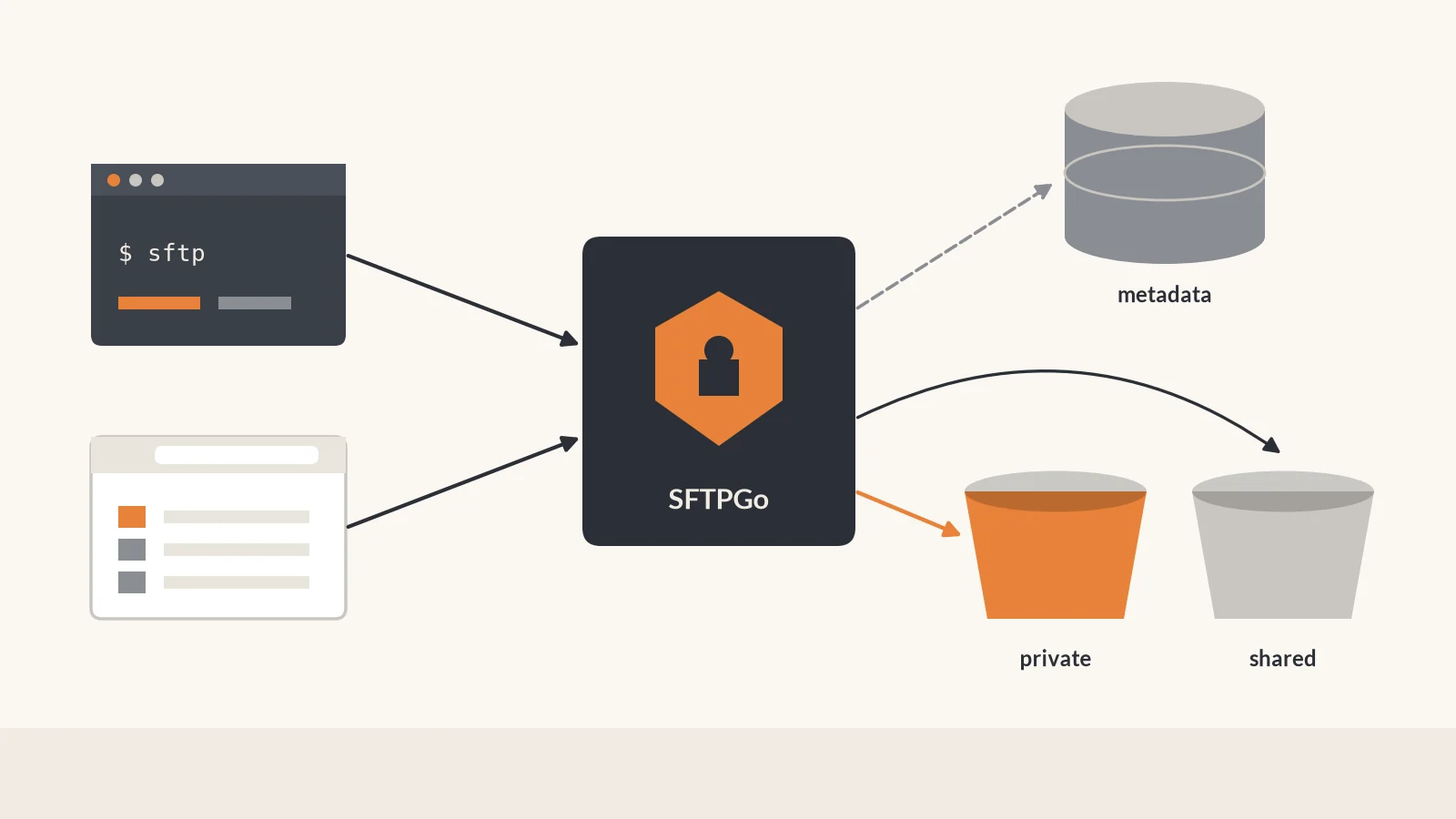
We wanted SFTP plus a browser file client, without keeping the files on local disk. SFTPGo is the gateway people connect to, and Backblaze B2 holds the bytes. The S3 filesystem is configured once, on a group, so every user in that group lands in their own prefix.
Two networks, three stores
A reverse proxy forwards sftpgo.example.com to SFTPGo on port 8080. The proxy and SFTPGo share a Docker network named proxy. Direct SFTP is optional, on host port 2022. Postgres is only on a private network named backend.
Postgres holds users, groups, ACLs, virtual folders, and shares. File bytes go to one B2 bucket over the S3-compatible API (opens in a new tab). The endpoint is https://s3.region.backblazeb2.com. Replace region with the region id shown next to the bucket. For B2, force path style stays off. Here the bucket is company-sftpgo, a placeholder. SFTPGo’s B2 example (opens in a new tab) uses that same host shape.
| What | Lives in |
|---|---|
| Users, groups, ACLs, virtual folders, shares | Postgres |
File bytes, under users/ and shared/ |
B2 bucket company-sftpgo |
| Endpoint, bucket, application key | .env, read by the SFTPGo container |
The group carries the filesystem
The S3 filesystem is set on a group named staff, not on each user. The Key Prefix is users/%username%/. At login, SFTPGo replaces %username% with the account name, so alice is confined to users/alice/ and bob to users/bob/. That prefix is the user’s root, so one account cannot list the other.
A new file user only needs membership in staff. Bucket, endpoint, and keys stay on the group. Groups (opens in a new tab) accept %username% in the key prefix, and the S3 backend (opens in a new tab) treats the prefix as the boundary inside the bucket.
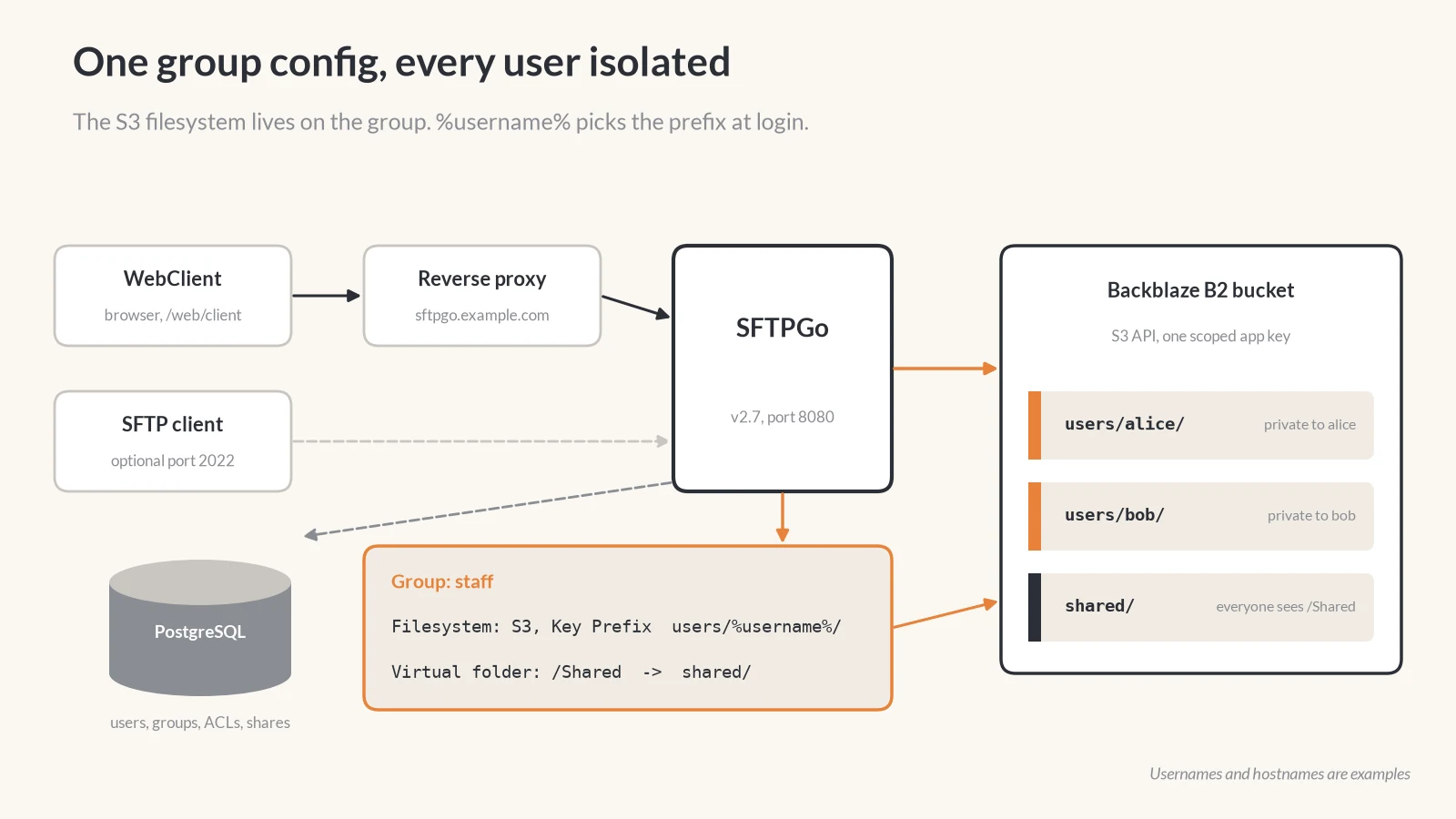
The same group mounts a virtual folder with Key Prefix shared/ at /Shared. Everyone in staff sees it. It is one prefix in the bucket, shared by every member. Virtual folders (opens in a new tab) on a group are inherited.
WebClient traffic comes through the proxy at sftpgo.example.com. SFTP can use port 2022. Postgres holds the accounts. The group fills in users/%username%/ at login, and /Shared maps to shared/ for every member. In the bucket, users/alice/ and users/bob/ stay private, and shared/ is the common folder.
Admins, the application key, and SSE-C
Admins sign in at /web/admin. File users sign in at /web/client, and they can also use SFTP. Those are separate accounts.
The B2 credential is an application key (opens in a new tab) scoped to company-sftpgo. The master application key stays unused. Backblaze does not accept the master key on the S3-compatible API.
SSE-C is optional. You can set an encryption key on the group’s S3 filesystem and on the shared folder. Lose that key and the data is unreadable. Turning it on does not re-encrypt objects already stored.
SFTPGo can send a share notice over SMTP. That mail setting is separate from the bucket.
What to back up
Back up the data and the config that points at it.
- The B2 data in
company-sftpgo. - A Postgres dump of the SFTPGo database.
- The
.envfile: endpoint, bucket name, and application key. - The SSE-C key, if you set one. Keep a copy outside the server that uses it.
- The reverse proxy config for
sftpgo.example.com.
Two containers
services:
  sftpgo:
    image: drakkan/sftpgo:v2.7
    networks:
      - proxy
      - backend
    environment:
      SFTPGO_DATA_PROVIDER__DRIVER: postgresql
  postgres:
    image: postgres:17
    networks:
      - backend
Postgres publishes no host port. It is reachable only on backend.